Everything you need to create and share
AI generation. Interactive content. Mobile-first delivery. One platform.
Describe it. AI builds it.
Type a prompt, a topic, an outline, or paste your content. Flow2 generates a complete interactive flow with structure, text, images, and navigation in about 60 seconds.
- Generates multi-screen interactive flows from text
- AI-selected images via Gemini Imagen
- Smart layout and content structure
- Table of contents with navigation on 5+ screens
- Tone, audience, and goal customization
Edit anything. Anytime.
AI starts it. You finish it. Tap any block to edit text in place. Tap an image to swap from Unsplash or upload your own. Add, delete, reorder screens. Change the theme. No credits for any of it. Your edits, your way.
- Tap any block to edit text inline
- Swap images from Unsplash or upload your own
- Add, delete, reorder screens
- Change theme without losing content
- Editing is always free, no credits
Built for the screen in your pocket
Not responsive, mobile-first. Flow2 creates vertical, scrollable, full-screen experiences designed for how people actually use their phones.
- Full-screen images that fill the viewport
- Smooth vertical scrolling
- Tap-to-navigate between sections
- No app download required, just a link
- Feels like a native app, not a shrunken slide deck
Not slides. Experiences.
Flow2 flows aren't linear slide decks. They're interactive, navigable experiences with embedded media, links between screens, and app-like behavior.
- Screen-to-screen navigation links
- Table of contents with anchor navigation
- Embedded video, photos, and PDFs
- Non-linear exploration, your audience chooses their path
- 12+ years of interactive presentation DNA
An API for the agentic era
Let AI agents create interactive content programmatically. One API call generates a complete flow. Perfect for sales automation, reporting pipelines, and onboarding workflows.
- REST API with Bearer token auth
- Async flow generation with job polling
- Credit balance and usage endpoints
- Available on Premium and Pro plans
- MCP server integration coming soon
And everything else
The details that make Flow2 a real platform, not a toy.
Themes & Styling
Dark, light, and custom themes. AI picks colors that work. Override anything you want.
AI Image Generation
Gemini Imagen 4.0 generates relevant images for every screen. Full-bleed by default.
Analytics
See who viewed your flow, which screens they spent time on, and how they navigated.
Privacy Controls
Password protect flows. Control visibility. Decide who sees what. (Premium+)
Any Source Content
Paste text, URLs, documents. Upload PDFs, images, videos. AI turns anything into a flow.
Instant Sharing
Every flow gets a unique URL. Share via text, email, social. No account needed to view.
Flow Kiosk
Deploy flows to iPad kiosks for museums, trade shows, and retail. Locked down. Offline capable. Full Kiosk Mode unlocked with Pro.
Web Player
Full-screen, immersive web player. Clean URL. Minimal branding on Pro. Embeddable.
Simple Credits
5 credits per flow. 2 per image. Refinements free. 75 free on signup. See pricing →
How we compare
One account, three platforms
Your subscription works across the entire ecosystem. FlowVella and Flow Kiosk subscribers get Flow2 included, and Flow2 subscribers get FlowVella and Flow Kiosk. AI credits are the only add-on if you go beyond your monthly allowance.
Pick a theme. Or let us pick one for you.
20 hand-designed themes and counting.
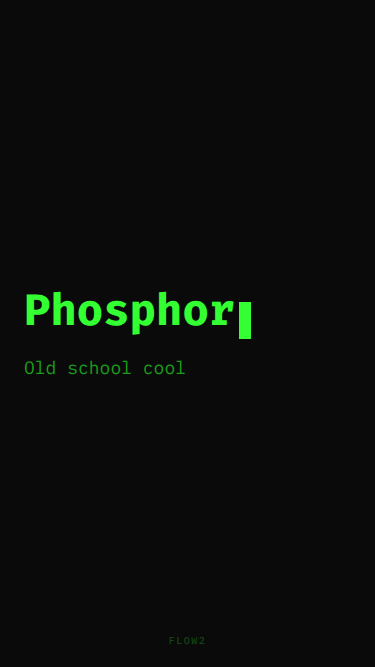
You prompt "80s product ad" → Phosphor. "Engineering spec" → Blueprint. "Dev tool overview" → Terminal.
Or name the one you want. Change it anytime.