Flow2 MCP Server
A Model Context Protocol server that lets Claude, ChatGPT, Grok, or any MCP-compatible assistant create, read, and edit Flow2 presentations directly from chat.
Works with: Claude (web, Desktop, Code) · ChatGPT · Grok · any MCP client
The fastest way to draft a mobile presentation is to talk through the content first, then take it the last mile in an editor. The Flow2 MCP server turns your AI assistant into the drafting surface. "Make a 7-slide pitch for a B2B SaaS product targeting eng leaders" returns a real, themed, mobile-first flow in under a minute. "Rewrite slide 3 to lead with the metric, not the explanation" edits it in place. When you are ready to polish images, swap themes, or add the final CTA, the same flow opens in the editor at flow2.co/m/<id>/edit.
Connect it
Same endpoint and the same sign-in for every client. There is no API key to paste: the first tool call opens a browser window where you sign in to your Flow2 account.
| Endpoint | https://mcp.flow2.co/ |
| Auth | OAuth 2.1 with PKCE, no API key required |
| Tools | 24 (11 read-only, 13 writes) |
Paste the endpoint with no path. Use
https://mcp.flow2.co/exactly. A trailing/mcpor other path works too, but the bare host is the canonical value.
Claude (web and Desktop)
- Open claude.ai/settings/connectors.
- Click Add custom connector.
- Paste
https://mcp.flow2.co/. - Sign in with your Flow2 account when prompted.
Claude Desktop reads from the same connector list, so set it up once and it appears in both.
Claude Code (CLI)
claude mcp add --transport http flow2 https://mcp.flow2.co/The first tool call opens the OAuth flow in your browser.
ChatGPT
Custom MCP connectors are available on ChatGPT Plus, Pro, Business, and Enterprise.
- Open Settings → Connectors.
- If you do not see an option to add a custom server, open Advanced and turn on Developer mode.
- Choose Create (or Add connector) and paste
https://mcp.flow2.co/as the MCP server URL. - Sign in with your Flow2 account when the OAuth window opens.
- In a chat, open the tools (+) menu and enable Flow2 for that conversation.
Grok
Grok connects through its own connector manager on grok.com and in the Grok apps.
- Open Settings → Connectors.
- Click Add (or Create custom connector).
- Paste
https://mcp.flow2.co/as the server URL, with no path. - Sign in with your Flow2 account when prompted.
Once you are signed in, Grok's connector manager detects the endpoint and loads the tool list automatically.
Local stdio (for clients without remote MCP support)
For environments that cannot talk remote MCP yet, the server can also run locally over stdio with an API token. Setup is on GitHub: flowboard/flow2-mcp.
What it looks like in chat
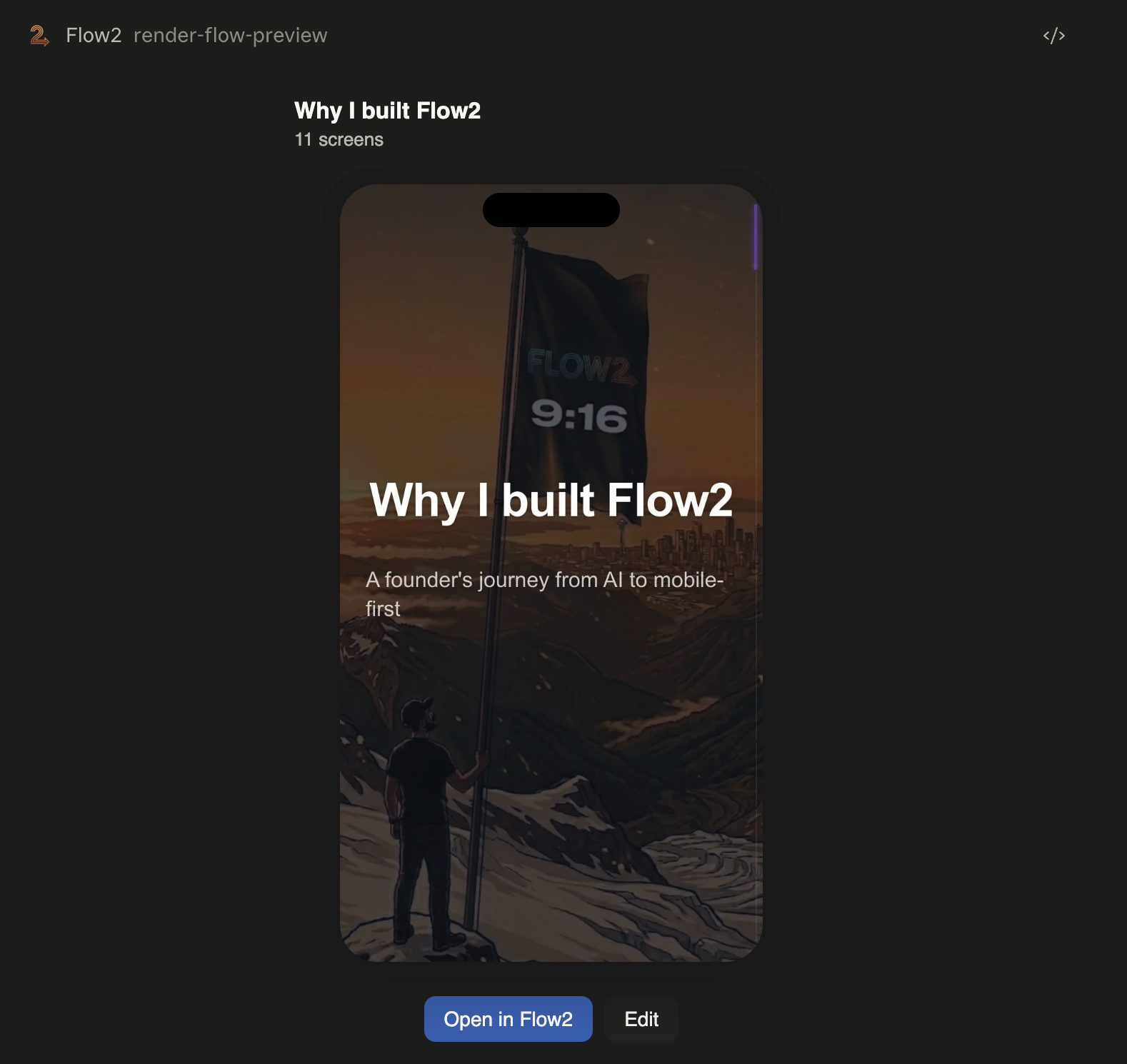
Every generated flow returns a live mobile preview and an editor link. In clients that support inline app rendering (Claude.ai web, Claude Desktop, the Cowork iframe, and ChatGPT), the preview is interactive right in the conversation: scroll the screens, see the theme, click through. Clients without inline rendering return the flow plus a tappable link that opens the same preview in the browser.
What you can do
| Action | Example prompt |
|---|---|
| Generate | "Make a 5-slide pitch for a B2B SaaS product targeting eng leaders." |
| Iterate | "Rewrite slide 3 to lead with the metric, not the explanation." |
| Theme | "Swap to the editorial theme, this needs to feel more serious." |
| Add a screen | "Add a closing CTA asking them to book a 15-min demo." |
| Inspect | "Show me the preview of slide 4." |
| Reformat | (paste a long doc) "Turn this into a 10-slide deck." |
The 24 tools split into 11 read-only (get_flow, get_screen, get_preview, get_qr, get_blocks_schema, check_credits, check_job_status, list_jobs, get_flow_video_plan, and the two inline preview renders) and 13 writes (create_flow, update_flow_meta, patch_block, add_block, add_screen, move_block, reorder_screen, duplicate_screen, set_screen_type, upload_image, set_flow_video_plan, plus the two destructive delete_block and delete_screen). Destructive tools are flagged as such, so your assistant asks before running them.
Iterate in chat, polish in the editor
The two surfaces are complementary, not redundant.
The assistant is good at the structure: content order, voice, deciding whether the third slide is actually the strongest opener. The editor is good at the last 20%: the one chart that should be a stat instead, the exact image, theme nudges, the link that goes on the CTA. Every flow generated through MCP opens in the editor at the URL the assistant returns. Same flow, no export step.
Turn your flow into a video
Every flow you draft in chat can become a short vertical video. The Flow2 app for iPhone turns any flow into a 1080x1920 video built for Reels, Shorts, and TikTok: record a selfie-cam voiceover over your slides or keep it clean, set the pacing per screen, and it renders on-device and saves straight to Photos, ready to post.
Get Flow2: Short Video Creator on the App Store →
How auth works
OAuth 2.1 with PKCE. The first tool call kicks off a browser-based sign-in to your Flow2 account. The resulting token lives in the MCP client, not in our docs, and we never see your password. The token is scoped to presentations and credits, and you can revoke it from Flow2 account settings.
For the curious: full OAuth metadata is at flow2.co/.well-known/oauth-authorization-server. Dynamic Client Registration (RFC 7591) is supported, so any compliant MCP client can register itself without a manual app secret.
Credits
MCP tool calls draw from the same credit pool as the web UI.
| Action | Cost |
|---|---|
create_flow (full generation) |
10 credits |
| Image generation | 2 credits per image |
| Block edits, reads, theme changes | Free |
Free accounts: 50 credits at signup. Pro: 500 credits/month. Check balance with check_credits or at flow2.co/account/billing.
Privacy
The MCP server logs request metadata (tool name, timestamp, status, OAuth client ID) for up to 30 days for reliability and abuse monitoring. Tool inputs are not persisted. Generated content lives in your Flow2 account and is deleted when you delete the flow. Full details in the Privacy policy under "AI Connectors and the flow2 MCP Server".
Links
- GitHub: flowboard/flow2-mcp
- API docs: flow2.co/developers/agent-api
- Privacy: flow2.co/static/privacy
- Support: [email protected]